Speed
WordPress
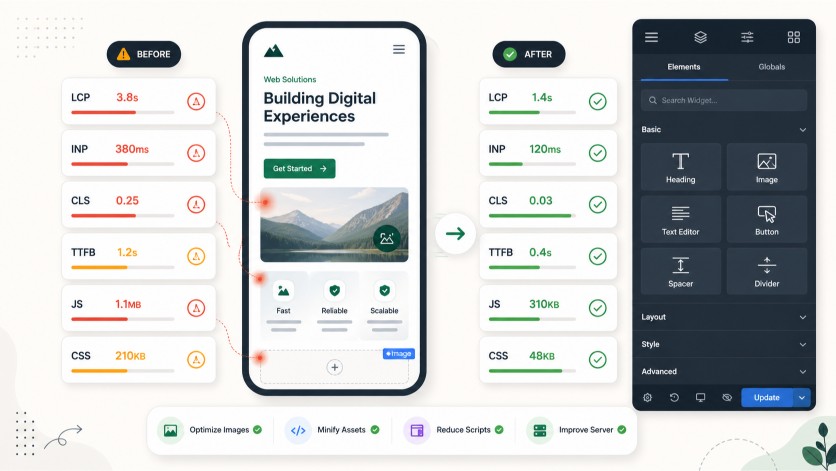
WordPress Core Web Vitals fixes for LCP, INP, CLS, and TTFB
WordPress speed problems are usually not solved by toggling every optimization setting. The useful path is finding whether the bottleneck sits in server response, render timing, template weight, plugin JavaScript, fonts, cache, or CDN behavior.
When this usually happens
Common triggers
- after theme or template changes
- after adding tracking scripts
- after cache/CDN changes
- after Elementor or builder changes
- after plugin updates
- after hosting changes
Common causes
Where the failure path often sits
- Elementor/template bloat
- render-blocking CSS
- too many plugin scripts
- font loading delay
- slow TTFB
- broken cache/CDN setup
- layout shift from images, ads, or widgets
- GTM or third-party script overhead
What I check first
The first checks stay close to the symptom
representative mobile and desktop URLs
LCP element and request timing
main-thread work and INP risks
CLS sources
server response and cache state
template/plugin assets loaded on affected pages
First sprint scope
What the first sprint includes
- map the bottleneck by template or URL type
- fix safe cache, asset, font, image, or script loading issues where access allows
- separate plugin settings from hosting/template constraints
- hand off remaining implementation steps
Verification
How the fix is checked
PageSpeed Insights
Chrome DevTools Performance
WebPageTest when needed
before/after screenshots
selected URL checks
What I need from you
Useful intake details
- representative URL
- device focus
- PageSpeed or CrUX evidence if available
- what changed recently
- WordPress admin, hosting, CDN, and GTM access if relevant
What is not included
Scope boundary
- full redesign
- theme rebuild
- every template on the site
- content rewrite
- ranking guarantee
Price anchor
Small diagnostics usually start around $350. Focused WordPress technical sprints usually land between $650 and $1,500+.
See pricing bandsRelated WordPress problems
First sprint intake
Send the URL, the exact symptom, and what changed recently.
A useful first message includes the WordPress URL, affected pages, recent changes, plugin stack, and which tools you can grant access to.